Buyer planning guide
Grab-and-Go Counter: Spare Parts and Service Document Index
Identify four JINYU L-series grab-and-go counters, compare their recorded specifications and download an editable parts-document index for receiving and service inquiries.
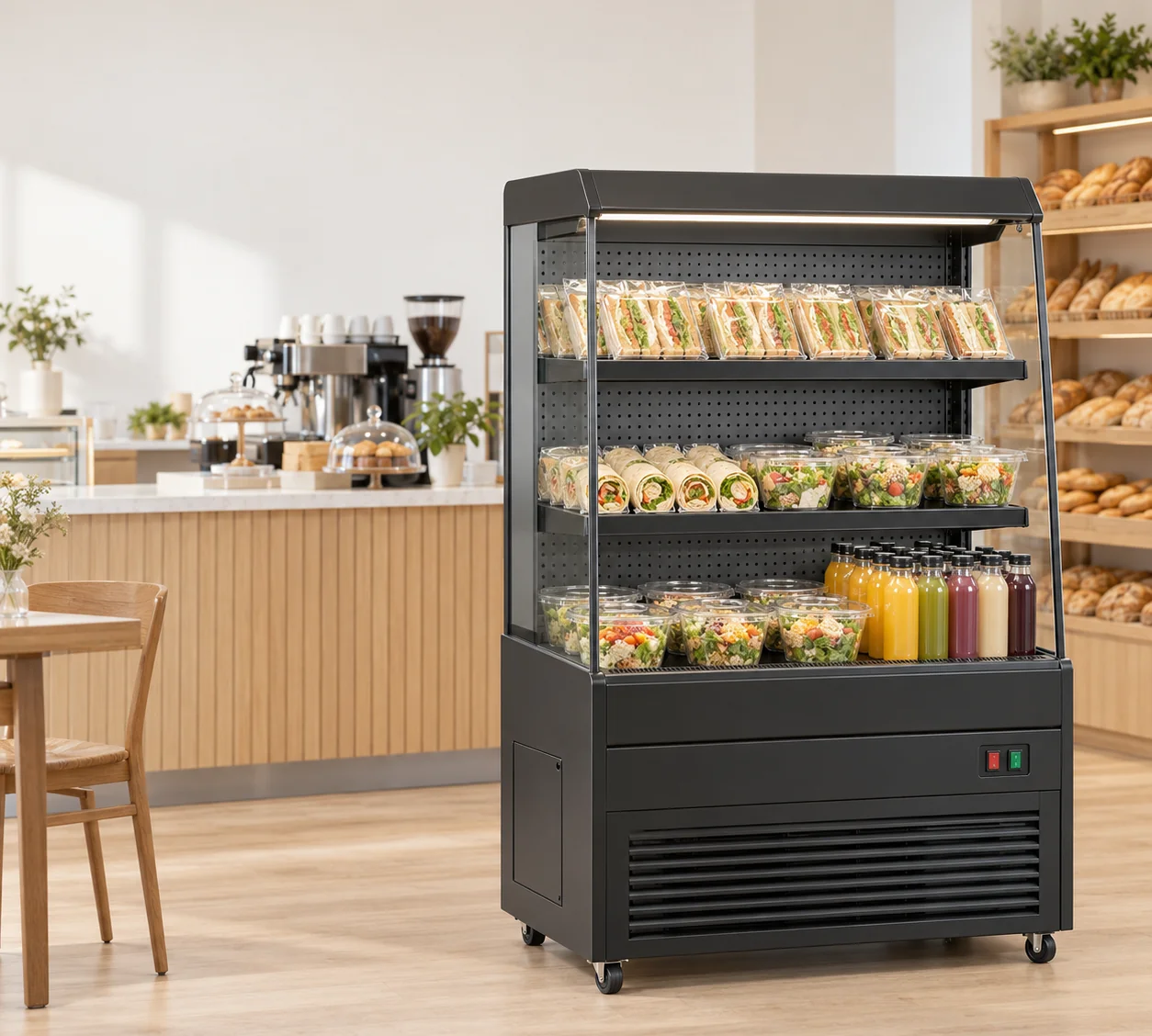
L-series model identity and editable document index
| Model | Width × depth × height | Capacity | Rated power | Voltage / frequency |
|---|---|---|---|---|
| GN-900L | 900 × 740 × 1400 mm | 235 L | 820 W | 220-240V/50Hz |
| GN-1000L | 1000 × 740 × 1400 mm | 245 L | 840 W | 220-240V/50Hz |
| GN-1200L | 1200 × 740 × 1400 mm | 295 L | 950 W | 220-240V/50Hz |
| GN-1500L | 1500 × 740 × 1400 mm | 365 L | 1080 W | 220-240V/50Hz |
Download the parts-document index (CSV) ↓
The sheet contains sixteen document rows across four models. Keep the rows for the cabinets in your project, add one set for each additional physical unit, and enter the serial reference from its appliance label. Site, document and component response fields are blank for your records.
What should a grab-and-go counter parts record contain?
Start with one record for each physical cabinet. Give it a site position, full model reference, serial reference copied from the appliance, and the document revision supplied with that unit. Add the order reference so the receiving team can connect the cabinet to the purchase. Keep a photograph of the appliance label with the record. The model reference identifies the catalogue entry; the serial reference identifies the particular unit being discussed.
For a shop using two identical counters, create two equipment records even if the cabinets share a manual. Link both records to that manual only after its applicability has been established. A service request can then name the cabinet at the sandwich position rather than leave the recipient to distinguish between two photographs of the same model. The editable CSV below provides separate columns for the equipment identity and the documents returned.
Which L-series specifications help identify the purchased cabinet?
JINYU lists four L-series widths: GN-900L at 900 mm, GN-1000L at 1000 mm, GN-1200L at 1200 mm and GN-1500L at 1500 mm. All four cabinets measure 740 mm deep and 1400 mm high. Their recorded capacities are 235, 245, 295 and 365 L respectively. These specifications help reconcile an equipment schedule with a delivered cabinet and its model page.
Rated power also remains model-specific: the four records list 820, 840, 950 and 1080 W in that order, with 220-240V/50Hz recorded for each. Copy the supplied appliance label into the receiving record alongside the catalogue reference. If it differs, preserve both descriptions and ask for the configuration-specific documentation. Matching outside dimensions or a shared voltage entry does not establish that components can be exchanged between the cabinets.
Which documents should I request before the counter arrives?
Ask for the operating manual, installation information and maintenance instructions applicable to the offered cabinet. Request the available parts identification drawing or parts list, with its document number and revision. Ask the response to identify which model and configuration each document covers. Keep the request and the returned document together so a missing attachment can be named precisely.
The CSV uses one row per document type and model. Fill in the site position, unit reference and returned document fields when those become known. If one illustrated parts list covers several widths, record that scope exactly as supplied. Give any width-specific drawing its own row. This creates an index that the receiving team can use without guessing whether a general family brochure also serves as a parts list.
How do I describe a component without inventing a part number?
Record where the component sits on the cabinet, then attach an overall photograph and a closer view that show the same location. Use the terminology and item number from the applicable drawing when one is supplied. Keep a drawing callout separate from the supplier part number: an item labelled 12 on an illustration is not automatically an ordering reference.
Describe the request in ordinary terms if the drawing has not yet arrived. For example, identify the shelf position and the photographed fitting, then ask the response to supply the matching drawing callout and part reference. That example describes a document request, not a component specified as interchangeable across the L series. Retain the photographs under the equipment identifier so the reply can refer to the same cabinet and location.
What changes when a GN-900L is replaced by a GN-1200L?
The catalogue comparison changes from 900 to 1200 mm wide and from 235 to 295 L, while depth and height remain 740 and 1400 mm. The recorded rated power changes from 820 to 950 W. Update the equipment schedule and site drawing with the 300 mm width difference, then create a record for the replacement unit and its supplied documentation.
Keep the previous cabinet's history attached to its own identifier. Ask which manuals and illustrated lists apply to the replacement instead of carrying over every file from the old folder. Even where the same document covers both models, preserve the applicability statement with the new record. For two same-model units, use their individual serial references to ask whether a component reference covers both. The width comparison helps identify a changed cabinet; it supplies no component compatibility decision.
How should the receiving team hand the document index to maintenance?
At receipt, match the physical cabinet label to the equipment row and attach the corresponding photograph. Enter the unit reference into each relevant document row, then record the actual filenames received. Make the index available to the site manager and the person arranging service. A folder containing several unnamed manuals is harder to use than a short table linking each document to a specific cabinet.
When a revised document arrives, retain its revision and the response identifying the units it covers. Keep any service provider's work record with that same unit. Record a changed component reference as supplied by the provider, including the associated document. If the cabinet moves to a different shop position, update the location field while preserving the equipment identity and earlier history. The record follows the unit through the move.
What should I send JINYU for a parts-document review?
Send the full model, unit label photograph, order reference, site position and the document index. Identify the particular document or component reference requested. For a component question, attach the location photographs and the relevant drawing revision if available. State whether the request concerns one cabinet or several individually identified units. Keep the requested item and the returned identification in separate columns.
Address the request to JINYU, Shaanxi Jinyu Kitchenware Co., Ltd. (陕西金宇厨具有限公司), through the inquiry page. Ask the reply to identify the applicable document and the configuration it covers. A parts identification response and a parts supply quotation answer different questions; preserve each under its own reference. The guide and blank record establish the information to send, while the returned documentation establishes the component identity for the particular cabinet.
Reference sources
- Compare all L-series grab-and-go counter models
- Plan a grab-and-go counter replacement
- Prepare a component identification inquiry
- Send the equipment and document record to JINYU
Regional references support general planning; model-specific specifications come from the published JINYU model tables.